
Epinium news in May 2022
These are the Epinium News in May 2022, where we have included new TACOS chart, Negatively Segmented Products, among others
 Marc Marin 2 min read
Table of contents
These are the 4 new Epinium products in May 2022:
Changes in the graphics of the General View section:
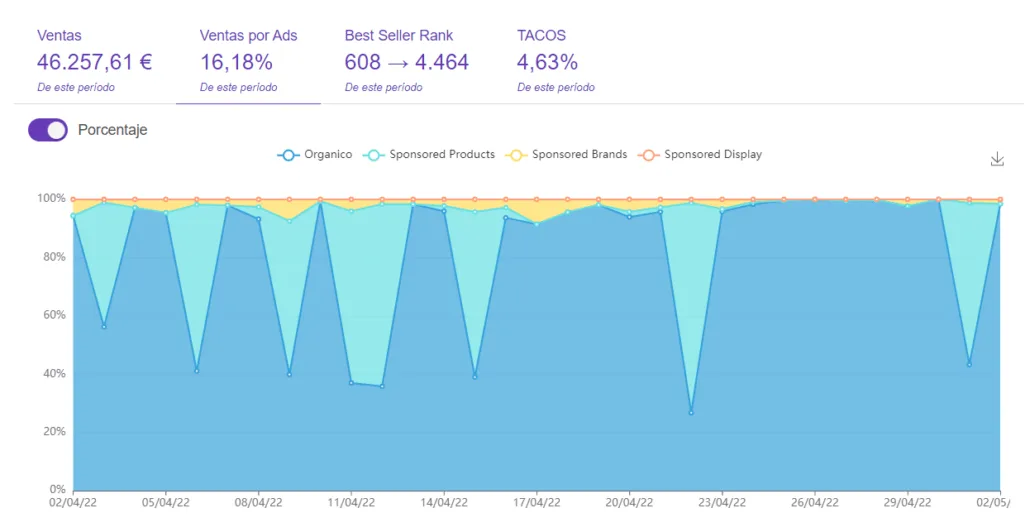
We have changed the graph that was previously in the Overview section that compared Paid traffic with Organic traffic to a new graph that we have called Sales by ads .
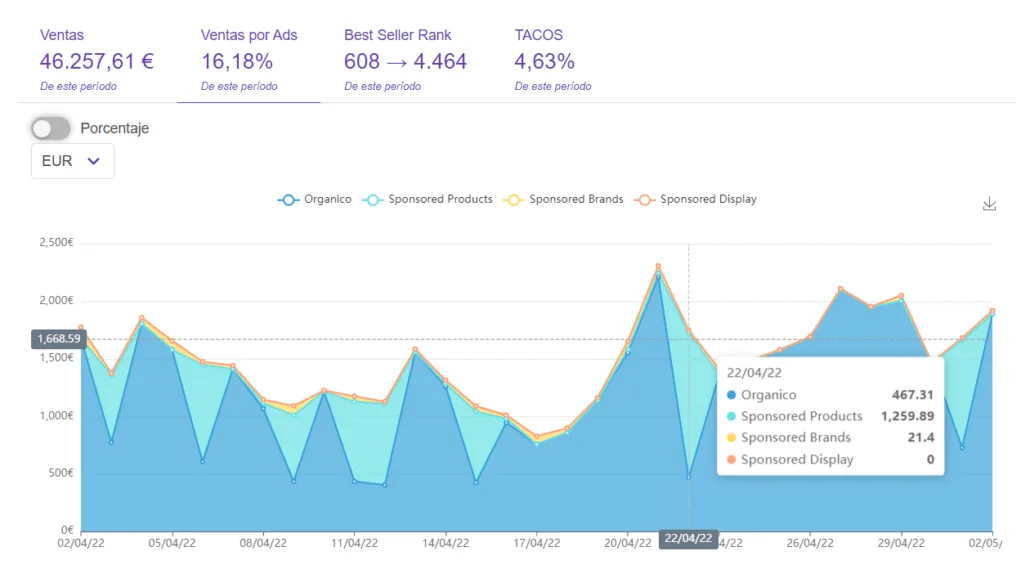
With this change, we allow you to see the percentage of sales that have been obtained and broken down by Organic traffic, Sponsored Products, Sponsored Brands and Sponsored Display. We have also included a new button that allows you to change the view of the graph, putting the data in the currency you need.
 Sales percentage
 Currency exchange
TACOS graphic in Overview
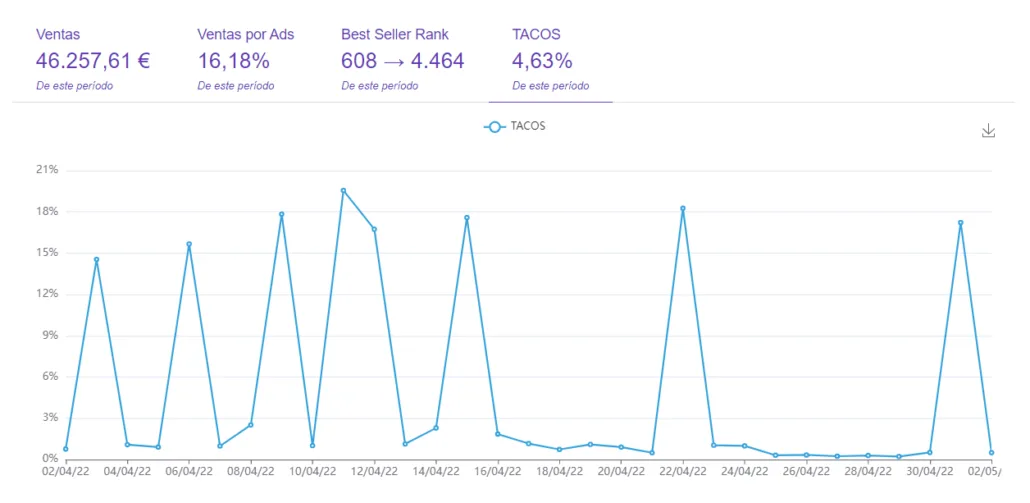
Another new feature of Epinium in May 2022 has been the incorporation of a new TACOS graph. With it we will be able to consult what we have spent on advertising taking into account the total sales that have been made, whether made organically or achieved through advertising.
Negative Products
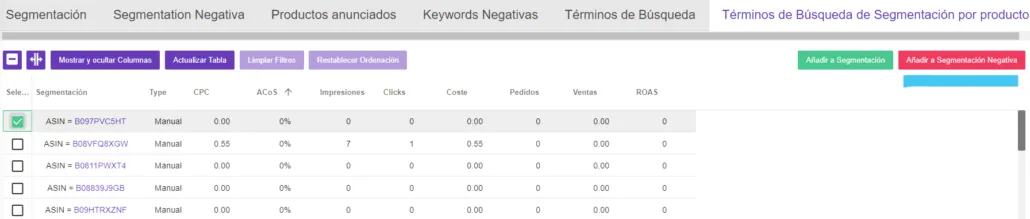
In the Campaigns section, specifically when filtering by Ad Groups. From now on you can include Negative Segmented Products by selecting the “Add to Negative Segmentation”. As you can see in the following image:
Segmented Products
One of the latest additions to Epinium in May 2022, is that Segmented Products search terms can now be converted to Segmented Products for an ad group regardless of whether they are positive or negative.
Save time in this process with our platform where Amazon sellers can save 60% time optimizing product detail pages, be 50% more effective following Amazon’s Style Guidelines and increase their sales by 30%. Get a free audit and start optimizing your listings now! Take advantage of it.
FAQ: Epinium News in May 2022
What replaced the old Paid vs Organic traffic graph in the Overview section?
A new “Sales by ads” graph that breaks down the percentage of sales by Organic traffic, Sponsored Products, Sponsored Brands, and Sponsored Display, plus a button to switch the currency shown.
What does the new TACOS graph in Overview show?
It shows what you’ve spent on advertising relative to your total sales, whether those sales came from organic traffic or advertising, giving a single view of overall ad efficiency.
How do I add Negative Segmented Products from the Campaigns section?
When filtering by Ad Groups in Campaigns, select “Add to Negative Segmentation” on the relevant product to exclude it from that ad group’s targeting.
Can Segmented Products search terms be converted regardless of whether they’re positive or negative?
Yes — as of this update, Segmented Products search terms can be converted into Segmented Products for an ad group whether they are positive or negative matches.
What results can sellers expect from using Epinium’s platform overall?
According to Epinium, sellers can save 60% of the time spent optimizing product detail pages, be 50% more effective at following Amazon’s Style Guidelines, and increase sales by 30%.