
New Epinium Software | Version 1.5
We value a lot our costumers' suggestions, so that we continuously improve our Epinium software to meet their needs.
 Nicole Scupola 2 min read

Table of contents
In Epinium we value a lot our costumers’ suggestions, so that we continuously improve our software to meet their needs. Last week our Software Development team worked hard to bring improvement in our Advertising Analytics section and in our Dashbord, in the part referred to the selection of Marketplace.
Epinium software permits our Amazon Sellers to manage different Marketplaces, and from this month we add two more Areas: Switzerland and Poland.
Adding two more Market Area is not the only improvement our collegues implemented. From now on you will be able to see Sponsored Brands reports data from Advertising Analytics section.
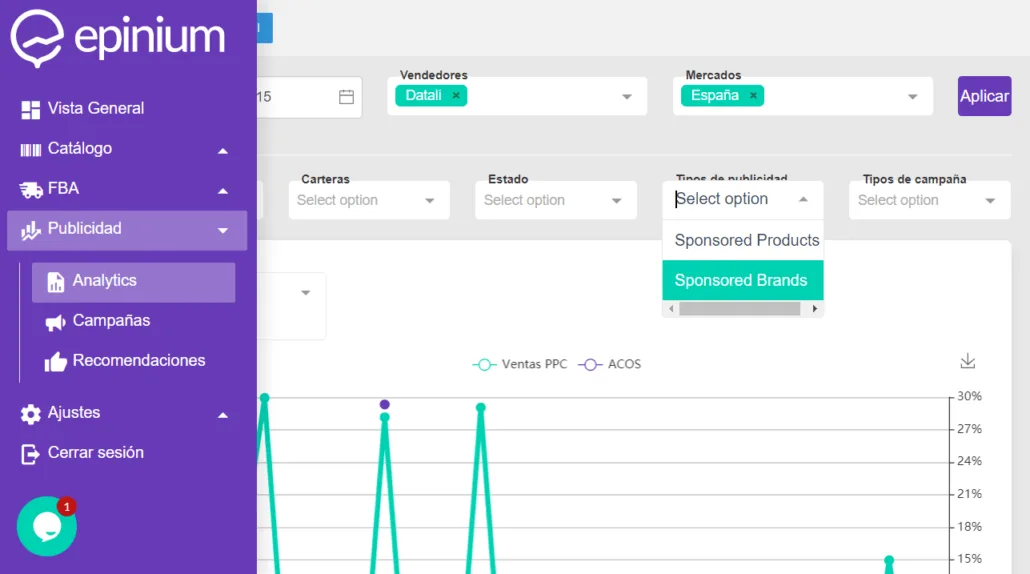
As you can see from the image above, you can select the type of advertising and analyse each metric with respect to this choise. The graphs will show you only the data referred to the type of advertising you selected. The data are connected with your Amazon seller central account, therefore you can create your Sponsored Brand campaign from Seller Central and monitore all data from our Software, which makes the analysis faster and immediate.
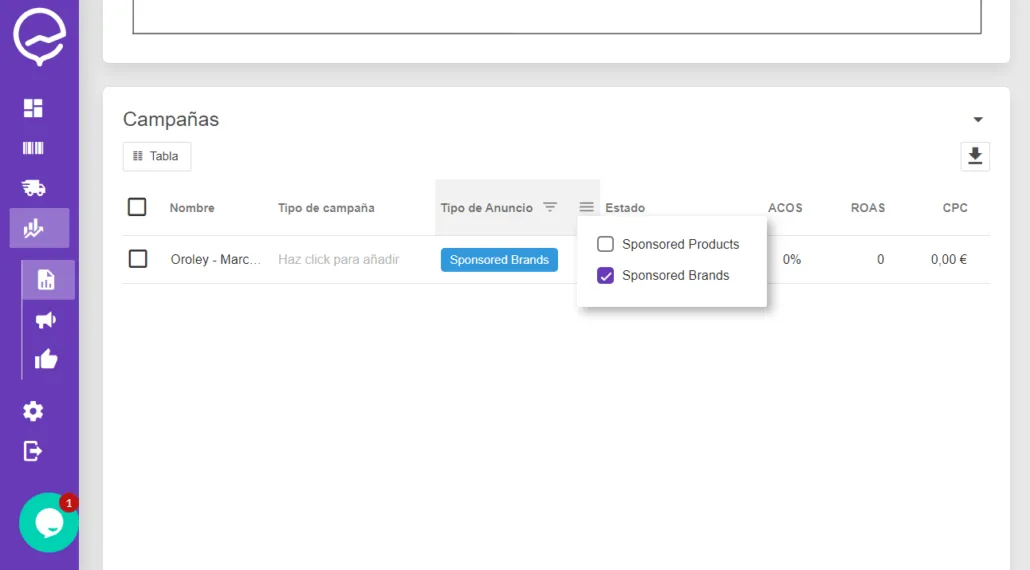
In each table you can filter between Sponsored Products or Spondored Brand campaigns so that relevant data to you will be displayed. Please, remember that Sponsored Brand Campaigns don’t include products, therefore no products will be displayed in the tables “Announced products” and “Segmented by products”.
If you have any doubt about our Epinium Software do not hesitate to contact us via Chat or by leaving a comment below.
FAQ: Epinium Software Version 1.5
What new marketplaces did Epinium add in version 1.5?
Switzerland and Poland, bringing more Marketplace Areas available for sellers managing multiple Amazon accounts from a single dashboard.
What changed in the Advertising Analytics section?
Sellers can now see Sponsored Brands report data directly in Advertising Analytics, alongside the existing Sponsored Products data, and filter by advertising type to see only the metrics relevant to that campaign type.
Why don’t Sponsored Brand campaigns show data in the “Announced products” and “Segmented by products” tables?
Because Sponsored Brand campaigns don’t include individual products the way Sponsored Products campaigns do, so those two product-level tables simply have no data to display for SB campaigns.
Do I need to set anything up manually to see the new Sponsored Brands data?
No — the data connects directly to your Amazon Seller Central account, so once you create a Sponsored Brand campaign in Seller Central, its metrics appear automatically in Epinium for monitoring and analysis.
Who should I contact if I have questions about these updates?
Epinium’s support team, reachable via chat or by leaving a comment, based on customer suggestions that continue to shape these software improvements.