Amazon Posts
Amazon Posts is the new social media build up by Amazon for Amazon vendors. Brands can spread the word about their products and brand story.
 Nicole Scupola 3 min read
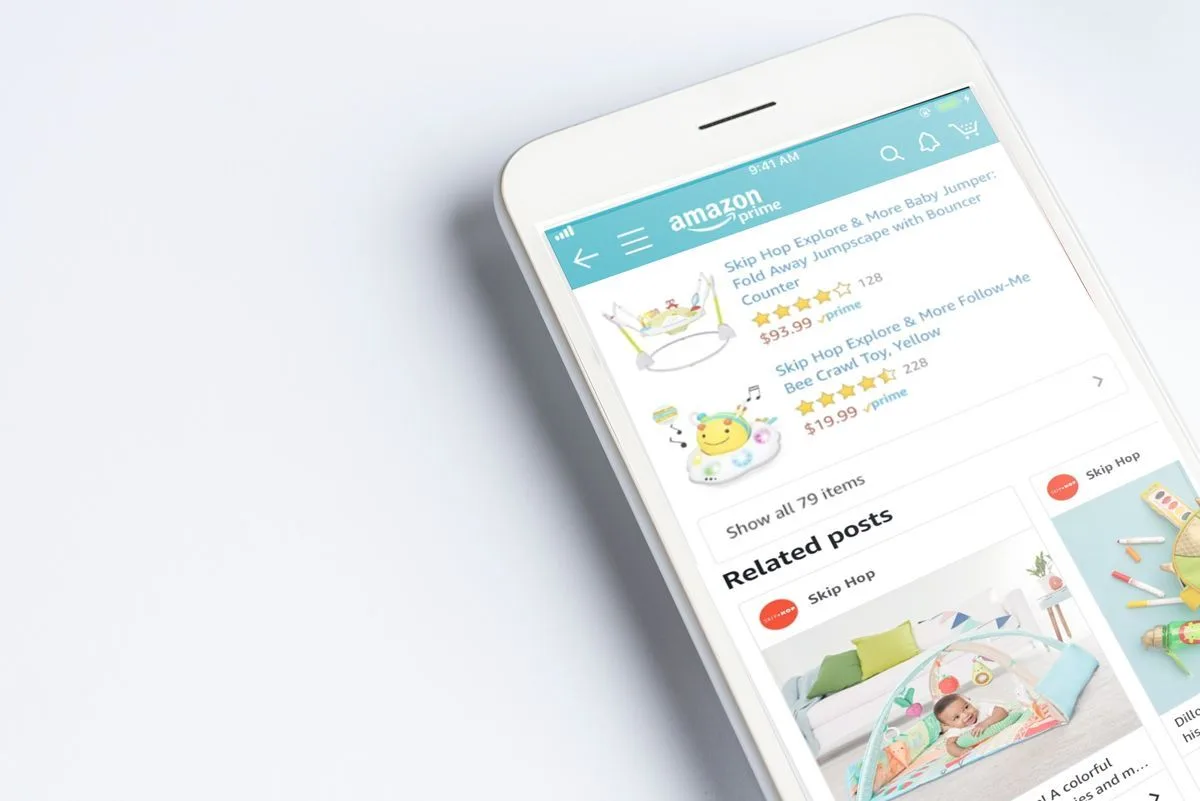
Table of contents
What is Amazon Posts
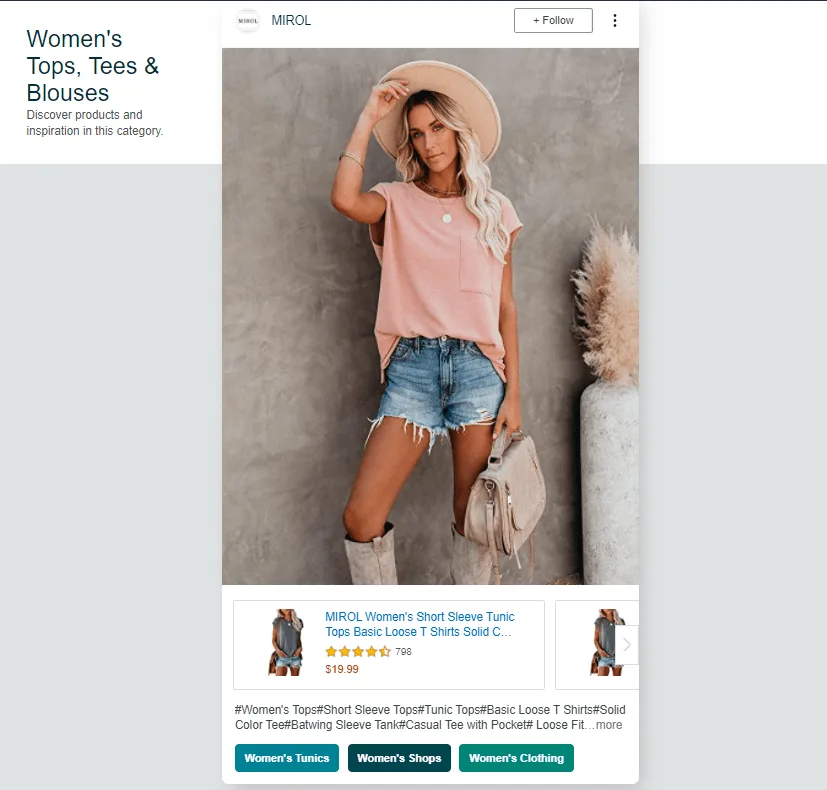
Amazon Posts is the new social media build up by Amazon for Amazon vendors. The service is a chance for brands to have a new avenue to spread the word about their products and brand story. Basically, it is like Instagram. You can upload on the platform photos of your product and write a description below. The posts link directly to the detail page so that eah post is made shoppable. This is how Amazon describes the service:
“Posts is a new image-based browsing experience on Amazon. Shoppers can explore brand-specific feeds or browse by product category to discover products and see what’s new from brands. Posts link to detail pages, making each post in a feed shoppable.”
All your posts will show up on your brand’s feed, on category-based feeds and ‘related product’ feeds. Amazon’s algorithm decides whether your stories and posts will appear.
Amazon Posts, like any other Social Media, allows brand to share stories, to talk about their product and to educate customers. All for free. but now let’s have a look on how does it work.
Requirements to sign up
The first requirment you have to accomplish is to be a vendor or a seller in the United States with a brand enrolled in the Amazon Brand Registry. At the moment the service is available only in the US. You must also have a store page for your brand on Amazon.
If you meet the requirements, now you have just to follow these steps in order to create your Amazon Posts account and to start posting:
- Go to posts.amazon.com
- Sign-in using your Amazon advertising credentials (or create one)
- Create your profile and verify your brand name
- Upload your brand logo
Once you have finalized the process, you can immediately start publishing relevant photo. You can add a caption, and tag related products so that Amazon will automatically tag the categories and display them in proper locations.
How to use Amazon Posts
This is a Social Media like all the others, since it is only in its first phase of development, we can conseder use it as we are used to manage Instagram or Facebook. That is to say, create engaging content which grabs the attention of the customers.
Lifestyle photos to inspire customers to explore your brand’s feed is the best way to start taking advantage from this tool. Moreover, there is no limit to how much you can post. Therefore you can create the best strategy possible to make your products reach your customers. it is a good idea to post often, just like on social media. This will ensure consistent customer brand engagement.
Final consideration
As Amazon Posts works like the other Social Media (Instagram and Facebook) you can take advantage from free visibility and promotion for your brand and products, so you can have more benefits using the service instead of not using it. So, what are you waiting for? It’s time to start posting!
FAQ: Amazon Posts
What is Amazon Posts?
Amazon Posts is a free, image-based browsing feature built by Amazon for vendors and sellers, working much like Instagram. Brands upload product photos with a description, and every post links directly to the product’s detail page, making it shoppable.
Who is eligible to sign up for Amazon Posts?
You need to be a vendor or seller in the United States with a brand enrolled in the Amazon Brand Registry, and you must have a store page for your brand on Amazon. The service is currently available only in the US.
How do you create an Amazon Posts account?
Go to posts.amazon.com, sign in with your Amazon advertising credentials (or create one), create your profile and verify your brand name, then upload your brand logo. After that you can start publishing photos, adding captions and tagging related products.
Where do Amazon Posts show up?
Posts appear on your brand’s own feed, on category-based feeds, and on ‘related product’ feeds — Amazon’s algorithm decides whether a given story or post gets displayed.
What kind of content works best on Amazon Posts?
Lifestyle photos that inspire customers to explore your brand’s feed are the best way to start. There’s no limit to how much you can post, and posting often — similar to how you’d manage Instagram or Facebook — helps ensure consistent customer brand engagement.