
Amazon Ad Library explained – A must-have tool for Advertisers
Master Amazon Ad Library to analyze competitor ads, optimize campaigns, and increase ROI. Discover essential tips and tools now!
 Adriana Blazquez 13 min read
Table of contents
Amazon has revolutionized the way businesses reach their customers, and tools like the Amazon Ad Library are at the forefront of this transformation. Designed to empower advertisers, this resource offers unparalleled access to ad data, creative assets, and performance insights. Whether you want to analyze trends, manage campaigns, or gain a competitive edge, the Amazon Ad Library is an indispensable tool. In this article, we’ll uncover what makes it so valuable and how you can use it to optimize your advertising strategy.
What is Amazon Ad Library?
Definition and Overview The Amazon Ad Library is a powerful resource provided by Amazon to enhance advertising efforts. It serves as a centralized repository where advertisers can search, view, and analyze ads displayed across Amazon’s platforms. This tool not only offers insights into active campaigns but also allows marketers to manage creative assets efficiently, track performance, and optimize their strategies. By using the Amazon Ad Library, advertisers gain access to a wealth of data that helps them better understand their market, competitors, and audience preferences.
Why It Matters for Advertisers
For advertisers, the Amazon Ad Library is an essential tool in staying competitive within the Amazon ecosystem. It enables:
-
Transparency: View and analyze ad trends across Amazon’s platforms.
-
Efficiency: Manage and organize creative assets in one place.
-
Optimization: Leverage insights to refine campaign strategies, increase ROI, and drive better results.
With its robust API, developers can integrate the Amazon Ad Library into their workflows, making it a versatile tool for both advertisers and developers. It’s a game-changer for those looking to unlock the full potential of their Amazon Ads campaigns.
How to access Amazon Ad Library
Step-by-Step Guide to Accessing the Ad Library
- Log in to your Amazon Ads account: Go to the Amazon Ads platform and enter your login credentials. Make sure your account has advertiser permissions to access campaign tools.
- Navigate to the Tools menu: Once logged in, locate the Tools tab on the top navigation bar. This section contains all essential resources, including the Ad Library.
- Select the Ad Library option: From the dropdown menu, click on Ad Library to access the main dashboard. If you don’t see this option, verify that your account is set up for campaign management.
- Search for specific ads: Use the search bar to locate ads by entering keywords related to your products or campaigns. For instance, you can search by ad type, product category, or campaign name.
- Refine results with filters: Apply filters such as:
- Ad type: Sponsored Products, Sponsored Brands, or Sponsored Display.
- Regions: Specify geographic regions to analyze localized campaigns.
- Campaign status: View active, paused, or archived campaigns for detailed insights.
By following these steps, you’ll gain direct access to ads and creative assets, enabling better campaign analysis.
Using Amazon’s Ad Library API
The Amazon Ad Library API allows developers to integrate ad data into their systems. Here’s how to get started:
- Visit the Amazon Ads API documentation: Go to the official API documentation page to learn about the endpoints and features available.
- Set up API credentials: Create an application through your Amazon developer account. This process will generate a Client ID and Client Secret, which are necessary for API access.
- Authenticate your application: Use the OAuth 2.0 protocol to authenticate your app. This will require an authorization token, which grants you access to query the Ad Library.
- Explore API endpoints: Common endpoints include:
- /ads: Fetches a list of active ads based on parameters like campaign name or region.
- /creative-assets: Retrieves creative elements such as videos or images used in ads.
- /performance-metrics: Provides data on impressions, clicks, and conversions.
- Integrate with your internal tools: Incorporate the API into your custom systems for advanced reporting and automation. This is particularly useful for large-scale campaigns or agencies managing multiple accounts.
The Ad Library API helps automate repetitive tasks and offers programmatic access to critical data. This makes it a must-have for advertisers looking to streamline operations and optimize performance.
Features of Amazon Ad Library
Ad search and filtering capabilities
The Ad Library allows advertisers to easily search for specific ads and campaigns.
-
Use keywords to locate ads relevant to your product, competitor, or market.
-
Apply filters to refine results based on:
- Ad Type: Choose between Sponsored Products, Sponsored Brands, or Sponsored Display ads.
- Region: Analyze ads targeting specific countries or regions.
- Campaign Status: Focus on active, paused, or archived campaigns to suit your analysis needs. This functionality ensures quick access to the data you need, saving valuable time while planning campaigns.
Creative asset management and performance tracking
Managing creative assets is seamless with the Amazon Ad Library.
-
Store and organize images, videos, and other ad materials in one place.
-
Easily retrieve assets for reuse in future campaigns.
-
Track performance metrics such as impressions, clicks, and conversions directly linked to your creative elements. This feature simplifies campaign management and ensures advertisers can analyze which creatives perform best.
API Integration for Developers
The Amazon Ad Library API enhances the platform’s utility for advanced users.
-
Programmatically access data for ad campaigns and creative assets.
-
Automate tasks like retrieving performance metrics or managing ad libraries.
-
Integrate the API into internal tools for customized workflows, reporting, and analysis.
For agencies or advertisers managing multiple accounts, the API is a game-changer. It enables scalability and advanced optimization through automation. These features make the Amazon Ad Library a versatile tool, helping advertisers make informed decisions and improve their ROI. 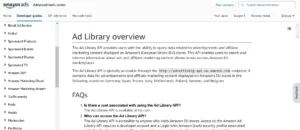
How to use Amazon Ad library for Ad optimization
Tips for analyzing competitor Ads
Studying competitor ads is one of the most effective ways to gain valuable insights. Here’s how to do it using the Amazon Ad Library:
-
Search for competitor keywords: Use the search bar to find ads targeting similar products or services. Analyze their messaging, creative assets, and ad copy.
-
Evaluate creative elements: Pay attention to high-performing visuals and videos. Note the style, tone, and elements that might resonate with your audience.
-
Monitor frequency and timing: Look at when and how often competitors run their ads. This can reveal seasonal trends or patterns in ad strategy.
-
Identify ad types: Determine whether competitors focus on Sponsored Products, Sponsored Brands, or other formats. This insight helps adjust your approach to align with market trends.
By understanding what works for competitors, you can make informed decisions about your own campaigns.
Using insights to enhance your own campaigns
The insights gained from the Ad Library can be directly applied to improve your campaigns:
-
Refine your targeting: Use data on competitor ads to discover gaps in audience targeting. Adjust your strategy to reach untapped segments.
-
Optimize ad creatives: Borrow inspiration from successful ads but tailor them to reflect your unique brand identity. Test multiple creative variations to see what performs best.
-
Adjust bids and budgets: Analyze how competitors allocate their budgets across ad types. Use this information to strategically adjust your bids and maximize ROI.
-
Leverage performance data: Track your campaigns alongside competitor insights to identify strengths and weaknesses. Use this analysis to refine your overall approach.
The Amazon Ad Library empowers advertisers to go beyond observation and take actionable steps to improve campaign effectiveness. By leveraging its features, you can stay competitive and drive better results. Subscribe to our newsletter and gain exclusive access to expert tips, case studies, and actionable strategies to optimize your campaigns. Be the first to discover how tools like Amazon Ad Library are transforming digital advertising. Don’t miss out—join now and elevate your campaigns to new heights!
Amazon Ad Library download and external tools
Can you download data from Amazon Ad Library?
Currently, the Amazon Ad Library does not provide a built-in feature to directly download ad data in bulk. However, advertisers can:
-
Manually collect insights by analyzing campaigns within the platform.
-
Use the Amazon Ads API to programmatically retrieve ad performance and creative data. This method is ideal for those with technical expertise or development resources.
For automated and large-scale data retrieval, the API remains the best solution. It allows users to fetch specific details like impressions, clicks, and creative assets.
Tools like AdSpyder and Advigator for expanded functionality
Several third-party tools enhance the capabilities of the Amazon Ad Library:
-
AdSpyder: This tool helps you discover competitor strategies by analyzing ad copies, product details, and pricing. It offers real-time insights, making it easier to track trends and refine your advertising approach.
-
Advigator: Advigator provides a gallery of creative assets, including images and videos from Sponsored Brands campaigns across Amazon marketplaces. It’s a valuable resource for inspiration and understanding what works in your industry.
These tools offer additional features not natively available in the Ad Library, making them excellent companions for advertisers. 
GitHub resources for developers
Developers seeking advanced solutions can explore GitHub repositories related to Amazon Ads. These repositories often include:
-
Code snippets for integrating the Amazon Ads API.
-
Sample projects demonstrating how to use the Ad Library data for reporting or analysis.
-
Community support, where developers share tips and troubleshoot issues.
Using GitHub resources allows advertisers to customize their tools and workflows, maximizing the potential of the Ad Library.
Comparison: Amazon Ad Library vs. Meta Ads Library
Key differences in features and focus
- Platform Coverage:
- The Amazon Ad Library focuses exclusively on ads within the Amazon ecosystem, such as Sponsored Products, Sponsored Brands, and Sponsored Display campaigns.
- The Meta Ads Library covers ads across Facebook, Instagram, Messenger, and the Audience Network. Its primary focus is on transparency in social media advertising.
- Use Cases:
- The Amazon Ad Library is designed to help advertisers analyze e-commerce ads, manage creative assets, and optimize campaigns for product sales.
- Meta Ads Library is geared towards providing insights into ad campaigns related to social issues, elections, or general brand awareness on social platforms.
- Data Access:
- Amazon provides programmatic access to its Ad Library via its API, enabling developers to automate and integrate data into workflows.
- Meta Ads Library, while accessible online, does not offer as many advanced automation options for advertisers or developers.
- Filtering Options:
- Amazon Ad Library includes filters for ad types, regions, and campaign statuses, ideal for targeted e-commerce analysis.
- Meta Ads Library offers filters for country, keyword, and advertiser, focusing more on transparency and compliance.
Which one should you use for your business?
The choice between these tools depends on your advertising goals:
-
If your primary focus is e-commerce, driving product sales, or managing campaigns within Amazon’s ecosystem, the Amazon Ad Library is the better choice. Its features are tailored for performance marketing and ad optimization on Amazon.
-
If your business relies heavily on social media marketing or you need insights into competitors’ social campaigns, the Meta Ads Library provides a broader view of advertising trends across Facebook and Instagram.
For businesses advertising on both platforms, leveraging both tools can provide a comprehensive view of digital advertising strategies and help maximize results.
Amazon Ads ecosystem
How Amazon Ad Library fits within Amazon Ads
The Amazon Ad Library is a foundational tool for managing and analyzing ad campaigns within the Amazon Ads platform. It complements other solutions by providing:
-
Centralized ad management: A hub for storing and organizing creative assets like images and videos.
-
Data-driven insights: Insights into ad performance that help refine targeting, messaging, and bidding strategies.
-
Campaign analysis: Visibility into active and historical campaigns for better decision-making.
This integration makes the Ad Library an indispensable tool for advertisers aiming to maximize their investment in Amazon Ads. 
Brief overview of Amazon local Ads and other solutions
The Amazon Ads ecosystem extends beyond the Ad Library, offering solutions tailored to different business needs:
-
Amazon Local Ads: This solution enables businesses to target customers in specific geographic areas. It’s ideal for promoting physical stores or region-specific products. Advertisers can customize campaigns to align with local trends, boosting engagement and driving foot traffic.
-
Sponsored Ads: Includes Sponsored Products, Sponsored Brands, and Sponsored Display, which allow advertisers to promote products, build brand awareness, and retarget customers. These ad types are the backbone of most Amazon Ads campaigns.
-
DSP (Demand Side Platform): Amazon’s DSP allows advertisers to programmatically buy display, video, and audio ads both on and off Amazon, targeting audiences across the web.
-
Amazon Marketing Stream: This tool provides real-time updates on campaign performance, helping advertisers make timely adjustments to optimize their results.
Each of these solutions works in tandem, creating a robust advertising ecosystem that caters to businesses of all sizes and industries.
FAQs about Amazon Ad Library
How do I find my ads on Amazon?
To locate your ads on Amazon, follow these steps:
- Log in to your Amazon Ads account using your credentials.
- Navigate to the Campaign Manager section on the dashboard.
- Use the search bar to enter keywords, product names, or campaign IDs associated with your ads.
- Apply filters such as campaign type, status, or date range to narrow down the results.
If you’re using the Amazon Ad Library, you can also search for your ads by entering relevant keywords or campaign details in the search bar.
Can I download Amazon Ad Library data?
The Amazon Ad Library itself doesn’t provide a direct option to download ad data in bulk. However, advertisers can use the Amazon Ads API to access and retrieve data programmatically. This method allows you to:
-
Extract campaign performance metrics.
-
Download creative assets.
-
Automate data analysis for large-scale campaigns.
For manual data gathering, you can analyze and export performance reports via the Campaign Manager interface.
Why Amazon Ad Library is a must-have tool
The Amazon Ad Library is an essential tool for advertisers aiming to optimize their campaigns and gain a competitive edge in the Amazon ecosystem. Its robust features, including ad search capabilities, creative asset management, and API integration, empower advertisers to analyze, manage, and enhance their advertising strategies. By using the Ad Library, advertisers can:
-
Save time with centralized ad management and efficient search tools.
-
Gain insights into competitor strategies and campaign performance.
-
Improve ROI by leveraging data to refine targeting, creatives, and budgets.
To make the most of the Amazon Ad Library, advertisers should take advantage of its filtering options, explore the possibilities of the API for automation, and combine it with other Amazon Ads solutions like Sponsored Ads and Local Ads. These tools, when used together, create a comprehensive system to drive success on Amazon. Whether you’re a small business or a large-scale advertiser, the Amazon Ad Library is a valuable resource that can elevate your campaigns and deliver measurable results.
Start optimizing campaigns with Epinium
Platforms like Epinium make ad management easier by seamlessly integrating insights from tools like the Amazon Ad Library. With Epinium, you can save time, automate repetitive tasks, and focus on strategies that maximize ROI. Take advantage of our AI-powered solutions to streamline your advertising workflows. Try Epinium free for 7 days and discover how it can elevate your campaigns to the next level.