
Epinium updates: list products on Amazon from your assistant
Create offers, new products with a new ASIN and families on Amazon from Claude or ChatGPT, edit price and images, and take your P&L to net profit.
 Carlos Martínez 8 min read
Executive summary
- What changes: you can now put products on sale on Amazon from your assistant. Sell a product that already exists from its EAN or ASIN, create new products with a new ASIN and build variation families, in Seller Central and Vendor Central, also from your own spreadsheet. Nothing reaches Amazon until you press Publish.
- In the app: Amazon’s problems show with their severity, the whole price (sale price with dates, minimum advertised price, business price) is edited in Properties and images are uploaded by dragging them.
- What else is new: Profitability reaches net profit with your own expenses, and you get Inventory, purchases with average cost and bulk cost import. Remember: FBASHOW25 and FBASHOW40 are still active until 20 November.
Table of contents
Listing a product on Amazon is usually the slowest part of the job. You have to pick the product type, fill in dozens of required fields, upload the images somewhere and wait to see what Amazon rejects. From today you ask your assistant in your own words or with the spreadsheet you already have, and Amazon checks each listing before anything is saved.
1. List products on Amazon from your assistant
Connect Claude or ChatGPT to Epinium and ask it for what you want to sell. There are three kinds of new listing:
A product that is already on Amazon. You give it the EAN, the UPC or the ASIN. Epinium finds it in Amazon’s catalog, asks Amazon whether your account can sell it in that condition and prepares your offer, the same thing «Sell this product» does in Seller Central. If the product belongs to a family, your assistant shows you its siblings in that marketplace so you can list them too. More detail in sell a product that already exists.
A new product, with a new ASIN. Your assistant picks the Amazon product type from the name and fills in the required fields with your title, your description and your bullets. It only uses values Amazon accepts for that category: if the product type asks for colour, size or material, it takes them from your texts and asks you for what it cannot work out. Brand, EAN or GTIN exemption, safety information and images go in the same listing. See how it works in new products and families.
A variation family. Group your new listings by size, colour or whatever you need. The children can be new products or ASINs already in Amazon’s catalog. One Publish sends everything: the parent first, and the children wait until Amazon accepts it.
| What you want to do | What you give your assistant | What Epinium checks first |
|---|---|---|
| Sell a product that already exists | EAN, UPC or ASIN and the countries | Whether your account can sell it |
| Create a new product | Title, description, bullets, EAN and images | That Amazon accepts the whole listing |
| Build a family | The products and what sets them apart | The order: parent first, children after |
From your spreadsheet, in any language. Attach the sheet you already use and say where you want to sell. The assistant reads the file, prepares each listing, checks it with Amazon and sums up what it has saved and what is missing.
Your images, no hosting needed. Upload them in the chat, several at once, and Epinium makes sure they reach Amazon.
Vendor Central too. The same listings work with your vendor code. If your connection has one, it is used automatically; if it has several, the assistant asks you which one.
Where the boundary is.
- Business and Master: new listings are created from your assistant with the Epinium MCP.
- Each listing costs 1 credit to check and 5 to save.
- New listings are not created in the app: they are reviewed, edited and published there (point 2).
- A product you already sell cannot be moved into a family: families are built from new listings.
- Nothing goes on sale without your Publish, from the chat or from the app.
EPINIUM · NEW LISTINGS ON AMAZON
Your next product, on sale from the chat. Give your assistant an EAN, an ASIN or your spreadsheet, and Amazon checks each listing before it is saved.
7 days free · no card · Business and Master plans
2. Review and publish, in the chat or in the app
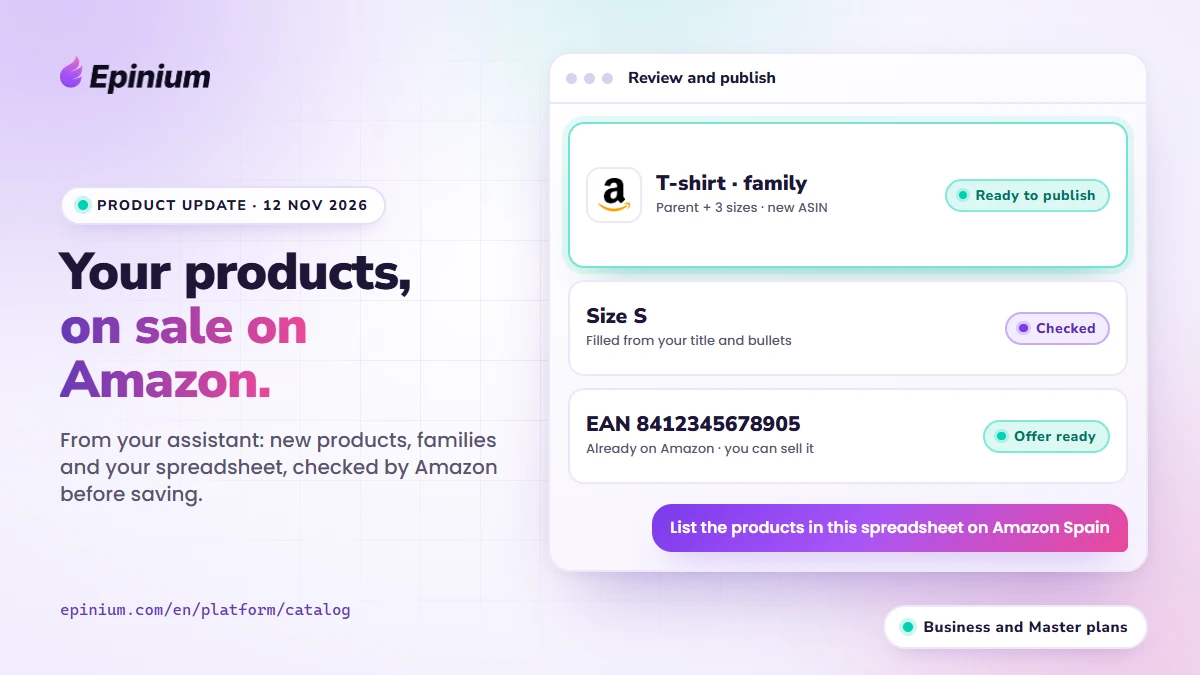
Without leaving the chat. Your assistant opens a Review and publish window with three tabs: changes, new listings and publications. You filter by connection and country, search by SKU or ASIN, pick what to send and press Publish. Then you follow from there whether Amazon accepts it.
Or from the app. New listings also appear in Review and publish in Catalog. «See details» opens each listing with the same properties as a product: you fix what Amazon asked for, check it again without publishing, change the SKU or the vendor code and save it as pending.
In your catalog in minutes. When Amazon accepts a new listing, the product appears in Epinium a few minutes later. The Publications panel tells you, country by country, which listings are being imported and which are already in Epinium.
And a fix you could feel: «Select all N» in pending publication now acts on every row, not just the page you are looking at.
3. More edits in Properties
The Properties tab of each product, from the Guru plan, adds four things.
Amazon’s problems, with their severity. Each problem shows under the field that causes it, in red when it comes with a sanction that stops the product from selling. Those that a field cannot fix go to Amazon notices, in the side index, with the sanction, the deadline and a link to Seller Central or Vendor Central for that country. In Seller Central, a status line tells you whether the listing can be bought. More in fix listings.
The whole price. Besides the price, the minimum and the maximum, you edit the sale price with its dates, the minimum advertised price (MAP) and the dates the product is on sale. For the general audience and for Amazon Business, when the product type allows it. Price rules are checked every time you save.
Your images. Upload or drag an image onto any image field and you see its thumbnail. If you paste a share link Amazon cannot download, Epinium warns you before you save.
Tasks with data that goes together. When a task sets a value that requires others (if the product includes batteries, Amazon asks for the type and the number), tasks group them by product type. You fill in the set once per group, it is checked against Amazon’s rules for each product and it is applied whole or not at all.
And from a spreadsheet, on Business and Master: your assistant also changes the Seller price and sale price, accepts several countries in the same file and warns you about values Amazon does not accept before saving. Vendor prices stay locked in the sheet.
4. Profitability reaches net profit
Until now the P&L stopped at contribution margin. From today, on Business and Master, you can go down to net profit and see the money you have tied up in stock.
Own expenses. In Profitability → Costs and expenses → Own expenses you load what does not come from Amazon. Fixed expenses (salaries, software, your 3PL fee) are subtracted after contribution margin, and the P&L ends at net profit. Variable expenses (per unit, % of net sales or % of advertising spend, such as packaging or an agency on commission) are subtracted in each channel and product.
Inventory. A new screen with your FBA stock valued at product cost: tied-up capital, capital at risk, days of stock, turnover by band and what it will cost you to store it until it sells.
Purchases and average cost. Besides the fixed cost, each product can carry its purchases from suppliers, and its cost becomes the average cost of its stock. If you had 500 units at €5 and buy 1,000 at €8, the cost becomes €7.
Costs in bulk. Import up to 200,000 rows at once, through the app, the API or the MCP. The review warns you about rows without a date and rows hidden by a later cost. The Product cost tab shows you which products are selling without a cost.
Where the boundary is.
- Business and Master. On Free and Guru you see it in the menu with the crown.
- With a channel, country, product or grouping filter, fixed expenses are not split: the P&L ends at contribution margin.
- Inventory counts only Amazon FBA stock, without Vendor or your own warehouse.
- Purchases with average cost are for Seller: the United Kingdom is kept apart from the EU, and Vendor is not included.
- It is not accounting: no VAT or taxes.
Other improvements
- A warning before you run out of tokens. You get an email with the workflows that would stop, and another if they have already stopped.
- Why a workflow failed. The workflow list says so for each one.
- Suggested bid without waiting. «Calculating…» appears and fills in without closing the table.
- Amazon’s errors in your Excel. The bulk edit Excel has an «Amazon errors on publishing» column.
- Currencies. Your assistant converts amounts at the same exchange rate Epinium uses.
- AI chat. Charts and subagent text are back.
Security and reliability
- Nothing reaches Amazon unless you publish it, not even from the assistant.
- More controls so that each account sees only its own data, and a stronger second factor (2FA).
- New bids and keywords are never below the marketplace minimum.
Remember: FBASHOW25 and FBASHOW40 until 20 November
If you are not a customer yet, the code FBASHOW25 gives you 25% off the Business plan for the first 3 months if you pay monthly, and FBASHOW40 gives you 40% off the first year if you pay yearly. You enter it when you subscribe to Business, until 20 November. Business is precisely the plan that includes new listings from your assistant and net profit. The details are on Pricing.
What we recommend you do this week
- If you are about to launch products: connect your assistant, attach your spreadsheet and ask it to prepare the listings. Check in the Review and publish window what is missing before publishing.
- If you sell products that already exist on Amazon: give it a list of EANs or ASINs and see which ones your account can sell.
- If you have listings with problems: open Properties and start with the red ones and the Amazon notices with a deadline.
- If you are on Business or Master: load your fixed expenses and look at your net profit for last month, and open Inventory to see which stock is sitting still.
Frequently asked questions
Can I create new products on Amazon with Epinium? Yes, from your assistant (Claude or ChatGPT connected to Epinium) on the Business and Master plans: offers on products that already exist, new products with a new ASIN and families, in Seller Central and Vendor Central.
Can I create new listings from the app, without the assistant? No. New listings are created from the assistant. In the app you review them, edit them with «See details» and publish them.
How much does each listing cost? 1 credit to check it and 5 to save it. Credits come from your plan’s monthly balance.
Is anything published without me seeing it? No. New listings and changes are saved as pending and only reach Amazon when you select them and press Publish, in the chat or in the app.
What do I need to see net profit? The Business or Master plan, your product cost and your fixed expenses loaded in Profitability → Costs and expenses.
EPINIUM · FBASHOW OFFER
New listings from your assistant and net profit, with Business 25% cheaper. Code FBASHOW25 until 20 November, or FBASHOW40 for 40% off the first year if you pay yearly.
7 days free · no card · 3% commission for new customers