
The new Epinium: VelaxAI, Workflows, Tasks and much more
The new Epinium brings VelaxAI, an AI assistant with a 13-dimension SEO auditor, no-code workflows, a task manager, weekly reports and client metrics.
 Carlos Martínez Barriga 4 min read

Table of contents
We’ve launched new tools and improvements to help you get more out of your Epinium account. From a full-blown AI assistant to a redesigned task engine, weekly reports and extra credits — here’s everything that just shipped.
🤖 VelaxAI: your new AI assistant
https://www.youtube.com/watch?v=4FFPY7WbNCM
VelaxAI is your smart assistant inside Epinium. You talk to it in natural language and it returns grounded answers based on your catalog, advertising, inventory and pricing data.
The SEO auditor evaluates your listings across 13 dimensions — title, bullets, search terms, images, A+ Content, inventory, pricing and more — scoring each one from 0 to 100 so you know exactly where to focus.
The campaign analyzer reviews your Smart Campaigns with metrics like ACoS, ROAS, CTR, CVR and CPC, breaks down performance by associated campaign, and automatically identifies top performers and campaigns needing adjustments.
Both analyses generate interactive charts (bar, line, pie) directly in the conversation. After the analysis, VelaxAI can suggest creating tasks with the detected improvements, so you go from insight to action in a single click. It can also query Epinium documentation to answer platform questions on the fly.
⚙️ Workflows: automation without code
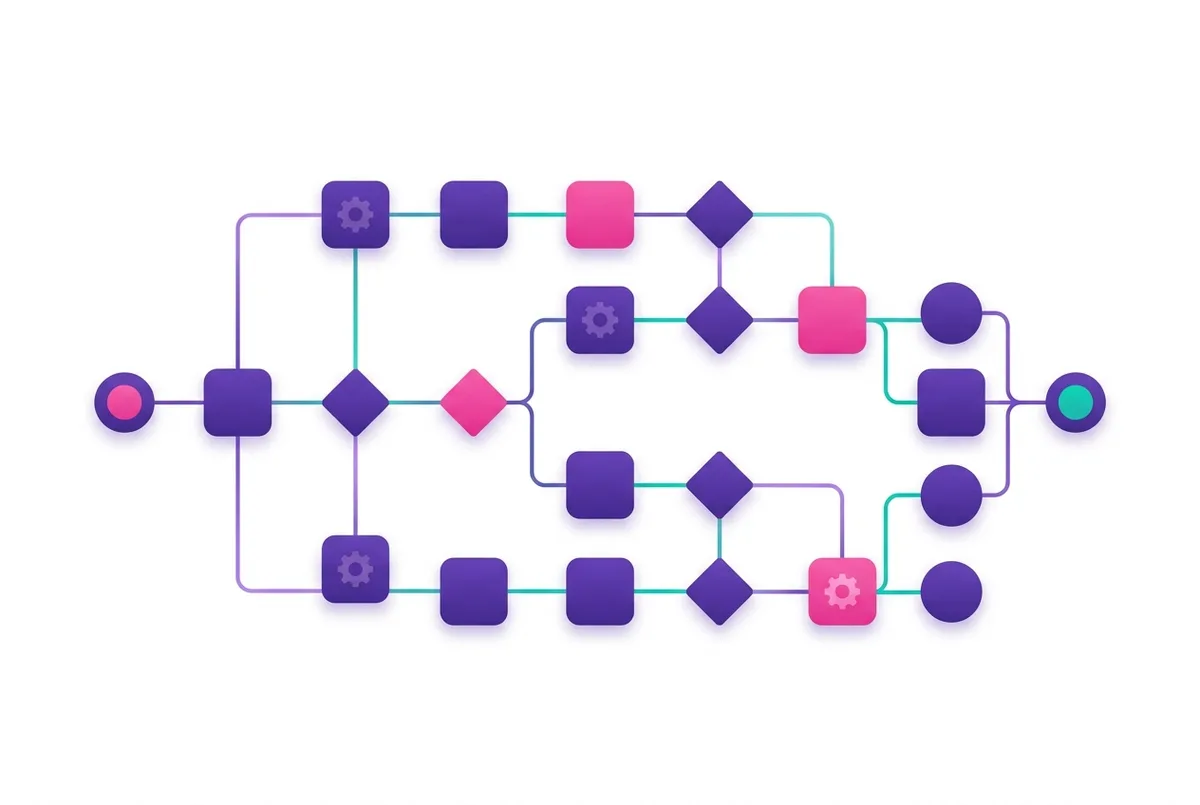
Automate product audits and task creation with configurable workflows. No code, no engineering backlog — describe what you want to happen and Epinium builds the process step by step.
You’ll find a gallery of pre-built templates you can clone with one click to get started quickly, without building anything from scratch. Each workflow supports versioning and can be scheduled or run manually, so you can iterate safely and keep an audit trail of every change.
✅ Integrated task manager
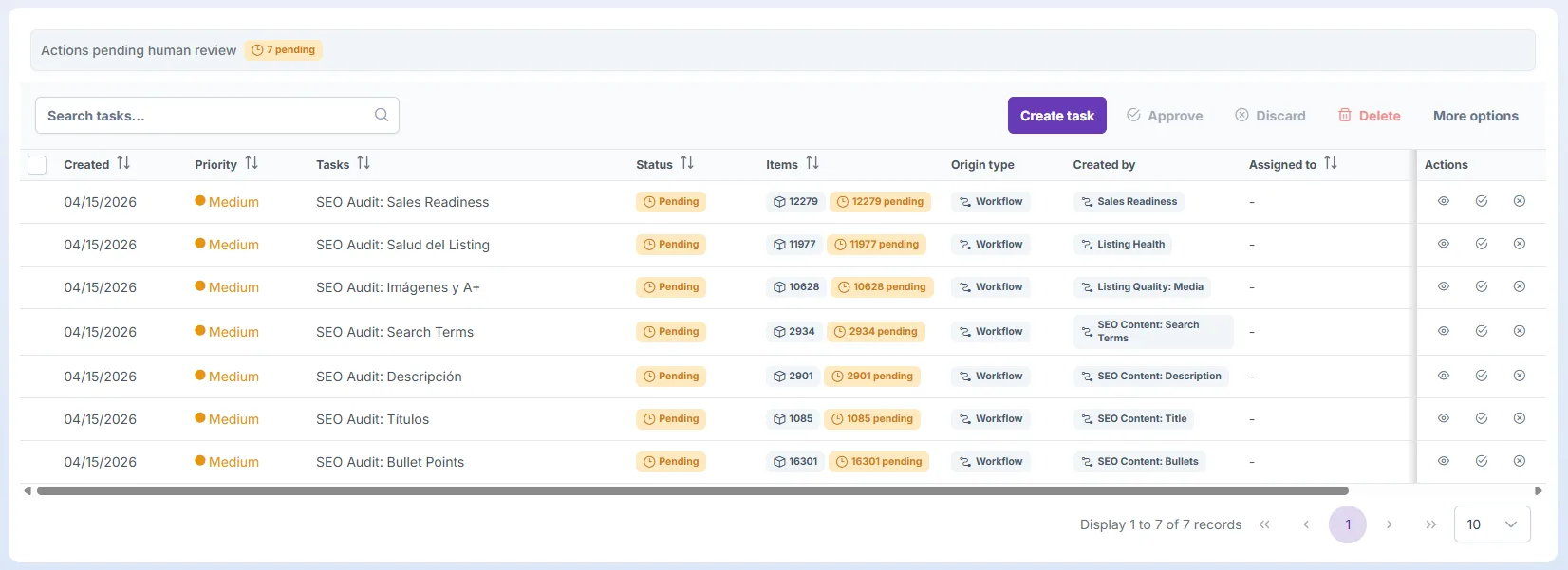
A centralized inbox to review and apply improvements to your products. If you used Epinium v1, you’ll remember our tasks system — we’ve brought it back, but completely reengineered. The new task manager is far more dynamic and analyzes 100+ KPIs across your catalog in real time to detect opportunities automatically.
Tasks can be created in multiple ways:
-
Manually from the interface, whenever you spot something to fix.
-
From a VelaxAI conversation, turning its suggestions into actionable items.
-
Through automated workflows, on a schedule or on trigger.
-
By the system itself, when it detects relevant patterns in your account.
Each task contains individual items showing the current value and the suggested value side by side. You can approve or reject each item individually or in bulk, and approved changes are applied directly to your products — no more copy-paste or context switching.
You can also view and manage associated tasks directly from each product’s detail page, so the recommendations live exactly where you need them.
🎁 Extra promotional credits on every plan
We’ve added promotional credits to your account at no additional cost so you can explore VelaxAI and all AI tools worry-free.
-
Guru — 500,000 extra credits
-
Business — 2,000,000 extra credits
-
Master — 8,000,000 extra credits
They’re already in your account, ready to use.
📧 Configurable weekly email report
Receive a weekly summary with your account’s key metrics, delivered to your inbox. Choose the delivery day that suits you best, Monday to Friday.
Agencies get extra flexibility: you can enable an overall summary covering all your clients, plus individual reports per account. Set it up from your notification settings.
📊 Per-client metrics for agencies
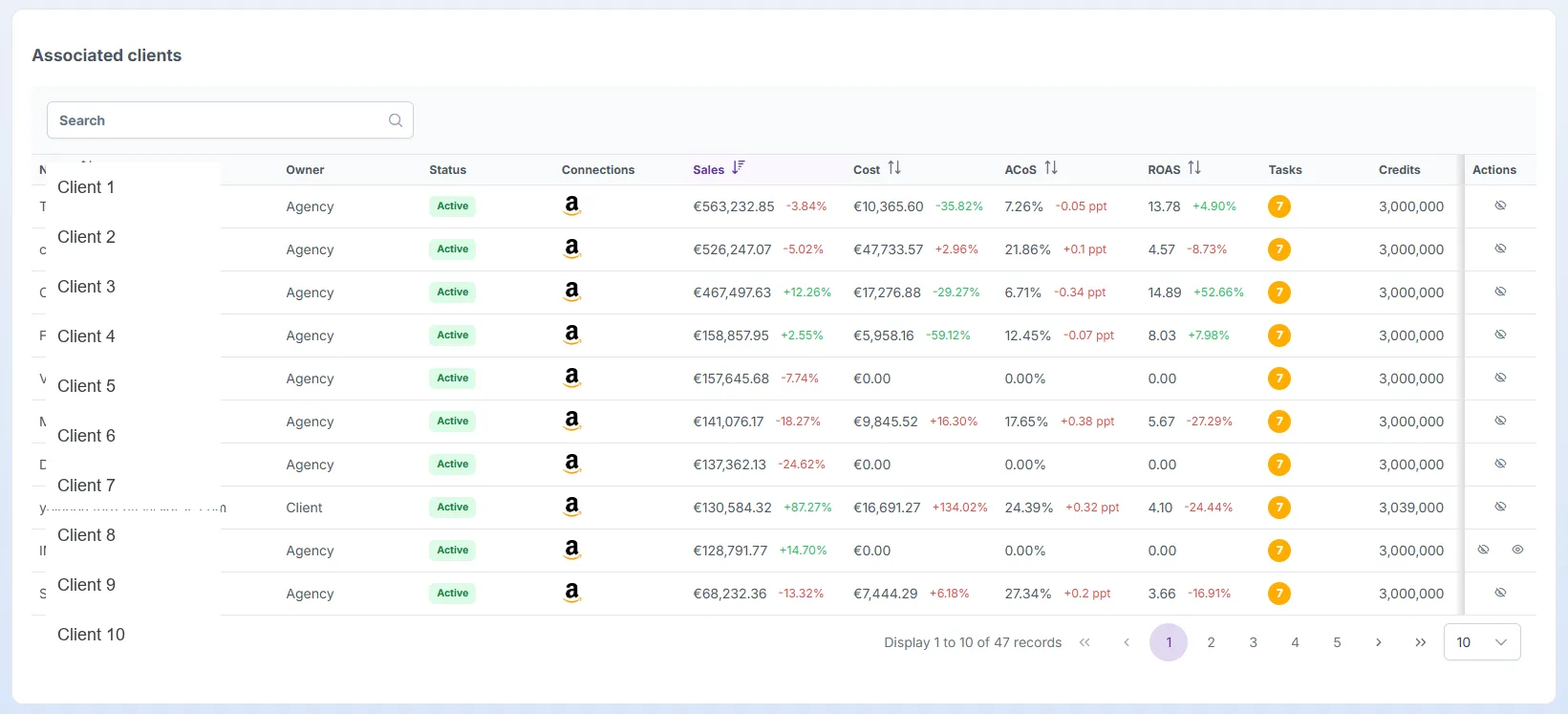
Agencies can now see sales, ACoS, ROAS, pending tasks and credits for each client directly in the clients table — no need to open each account one by one. Quick health check across your entire portfolio in a single view.
📰 New “What’s new” page
We’ve created a dedicated section where you can check all the new features and improvements we ship to the platform, with full details on each one. It’s accessible from the help button in the top bar, so you’ll never miss an update again.
🔥 It’s all live now
Log in and take it for a spin. If you want a guided walkthrough, book a demo and our team will show you how to get the most out of these new capabilities on your specific account.
The future isn’t rented. It’s built. 🔥
FAQ: The New Epinium Platform Update
What is VelaxAI?
VelaxAI is Epinium’s built-in AI assistant. You talk to it in natural language and it returns grounded answers based on your catalog, advertising, inventory, and pricing data, including an SEO auditor that scores listings across 13 dimensions and a campaign analyzer that reviews Smart Campaigns metrics like ACoS, ROAS, CTR, CVR, and CPC.
How do Workflows let me automate tasks without coding?
Workflows let you describe what you want to happen, and Epinium builds the process step by step. You can start from a gallery of pre-built templates, and each workflow supports versioning plus scheduled or manual runs, keeping an audit trail of every change.
How does the new task manager work?
The redesigned task manager analyzes over 100 KPIs across your catalog in real time to detect opportunities automatically. Tasks can be created manually, from a VelaxAI conversation, through automated workflows, or by the system itself, and each task shows the current value and suggested value side by side for approval or rejection.
How many extra promotional credits were added to each plan?
Guru accounts received 500,000 extra credits, Business accounts received 2,000,000, and Master accounts received 8,000,000 — all already applied to accounts at no additional cost.
What new reporting features did this update add?
A configurable weekly email report lets you choose your delivery day, with agencies able to enable both an overall summary across all clients and individual per-client reports. Agencies also get a per-client metrics view showing sales, ACoS, ROAS, pending tasks, and credits in a single table.